
Find something you saw or heard
You saw a useful page but never saved it. Memory lets you search recorded moments from your Mac and return to what you saw.
Turn on Memory
Section titled “Turn on Memory”- Open Settings → Sources → Memory.
- Turn on Enable Memory.
- Follow the screen-recording permission prompt.
- Choose retention, processing, and exclusion settings.
- Click Save Changes.
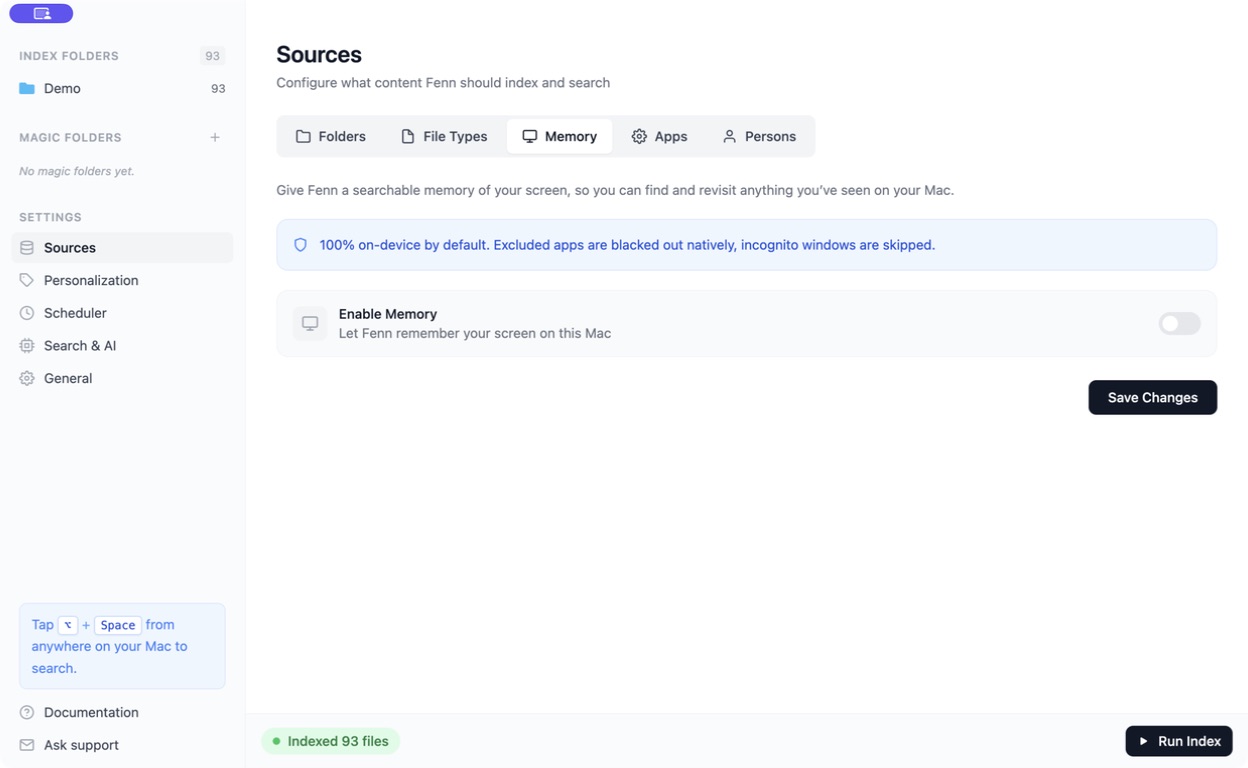
Memory starts from the moments it records after you enable it. It cannot recover screens from before recording began.
Find a moment
Section titled “Find a moment”Open Fenn search and use the location/source menu to focus on Memory when available. Try a short phrase or description, such as revenue growth chart or discount code.
Open a matching Memory result to revisit it in the timeline. You can also open Timeline in the main window’s sidebar and browse recorded moments.
Choose what is recorded
Section titled “Choose what is recorded”In Sources → Memory, you can set:
- How long recordings are kept. Older recordings are deleted when they exceed that window.
- Excluded apps and Excluded websites.
- Whether to skip private browser windows.
- A capture schedule and idle behavior.
Use a domain such as example.com for a website exclusion, rather than a complete page address.
Search spoken words too
Section titled “Search spoken words too”Audio transcripts are optional and off by default. Enable them only when you want audio recorded, review the consent notice, and use the menu-bar recording controls to start or stop a recording.
Transcripts appear alongside screen moments after processing. Use Keyword for words you remember hearing.
Why is a recent moment missing?
Section titled “Why is a recent moment missing?”Instant, Fast, Standard, and Light trade processing speed for resource use. A lighter mode takes longer to make recordings searchable.
If Process recordings on battery is off, processing waits for external power. Also check exclusions, permissions, retention, and whether capture was paused.
Clear all recordings permanently removes Memory history and its associated search data. Use it only when you intend to erase that history.