
Teach Fenn your projects and preferences
Save context you would otherwise repeat: what a project means, which files belong to it, or how you like filenames written.
Add useful context
Section titled “Add useful context”Open Settings → Personalization. In Personal Information, add a short description of your work, for example:
I manage client projects. When I say launch, I usually mean the website launch.
Keep it relevant. This information can be included in AI interactions, so consider your provider and privacy settings.
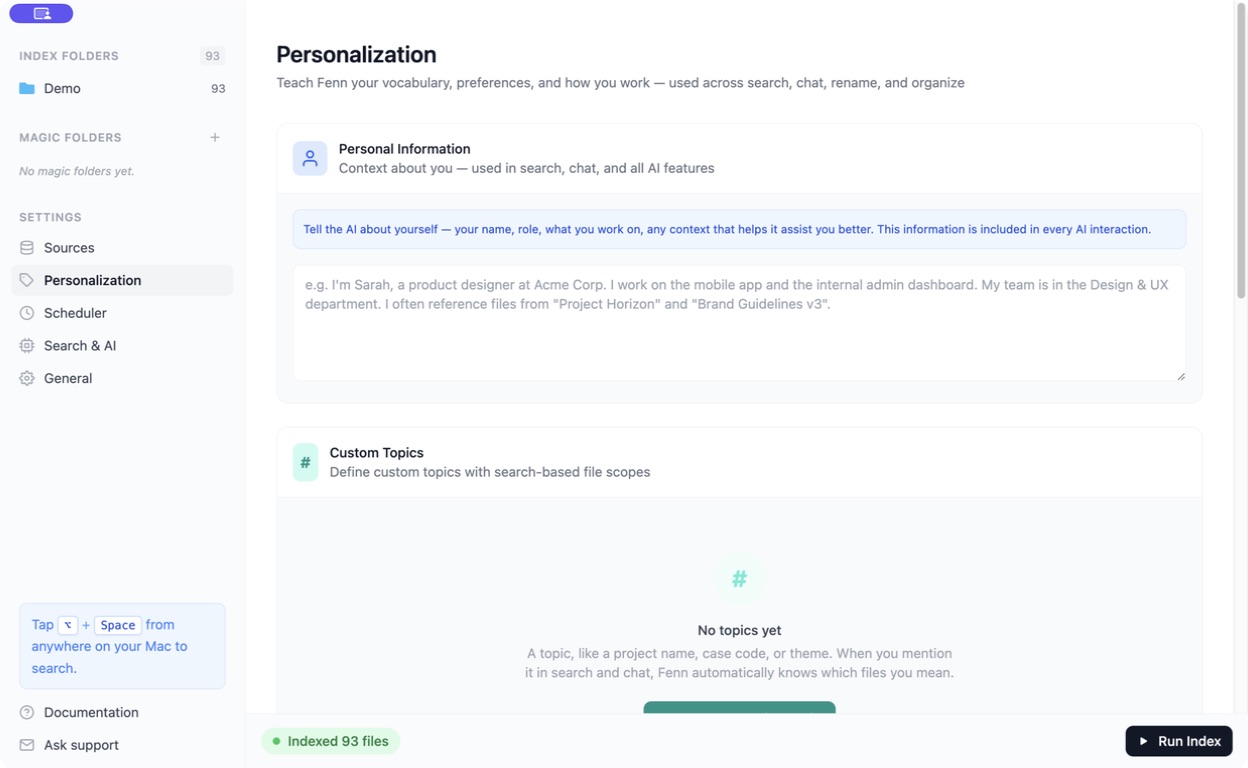
Create a Custom Topic
Section titled “Create a Custom Topic”- Under Custom Topics, create a topic.
- Give it a short name without spaces, such as
website_launch. - Add a description and searches that identify its files.
- Preview the matches and save the topic.
Mention #website_launch in Agent or Chat and select the topic from the suggestions. For example: “Summarize the decisions in #website_launch.”
Save naming and organization rules
Section titled “Save naming and organization rules”- Rename Rules: describe the filename format you want.
- Organize Rules: describe how files should be grouped into folders.
These rules become choices in the relevant AI file actions. They do not rename or move files just by being created.
Click Save Changes on the page after editing your settings.